



Description
Overview
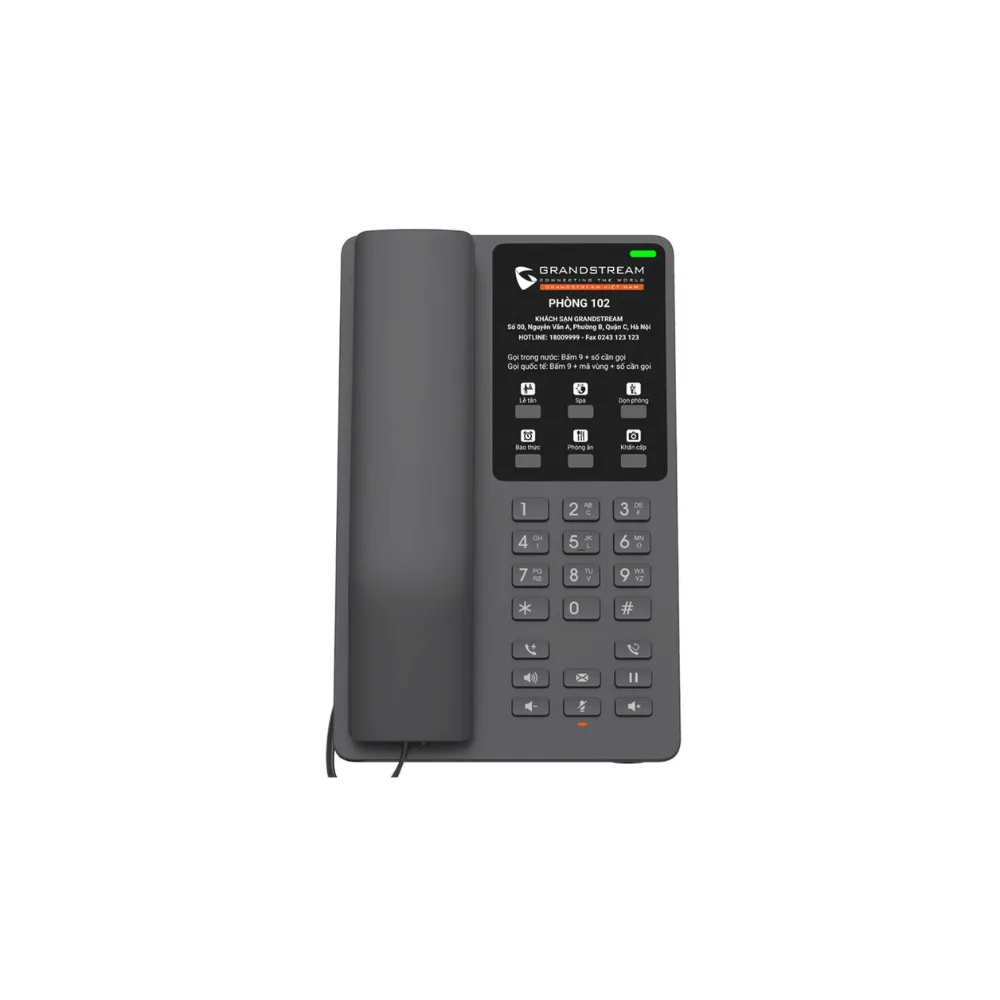
Bring wireless flexibility to hospitality communication with the Grandstream GHP621W, a compact Wi-Fi hotel IP phone built for hotel rooms and similar environments. With integrated dual-band Wi-Fi 6, 2 SIP accounts, 6 programmable keys, and HD audio, the GHP621W delivers a reliable, easy-to-use calling experience without requiring a wired Ethernet connection.
Quick Specs
- Type: Compact Wi-Fi Hotel IP Phone
- Color: Black
- Wi-Fi: Integrated dual-band 2.4GHz & 5GHz Wi-Fi 6 (802.11a/b/g/n/ac/ax)
- SIP Accounts: 2 SIP accounts/lines
- Keys: 6 programmable keys, 10 speed dial keys
- Audio: HD speaker on handset, full-band Opus codec, 3-way voice conferencing
- Extras: Push-to-talk and proximity sensor
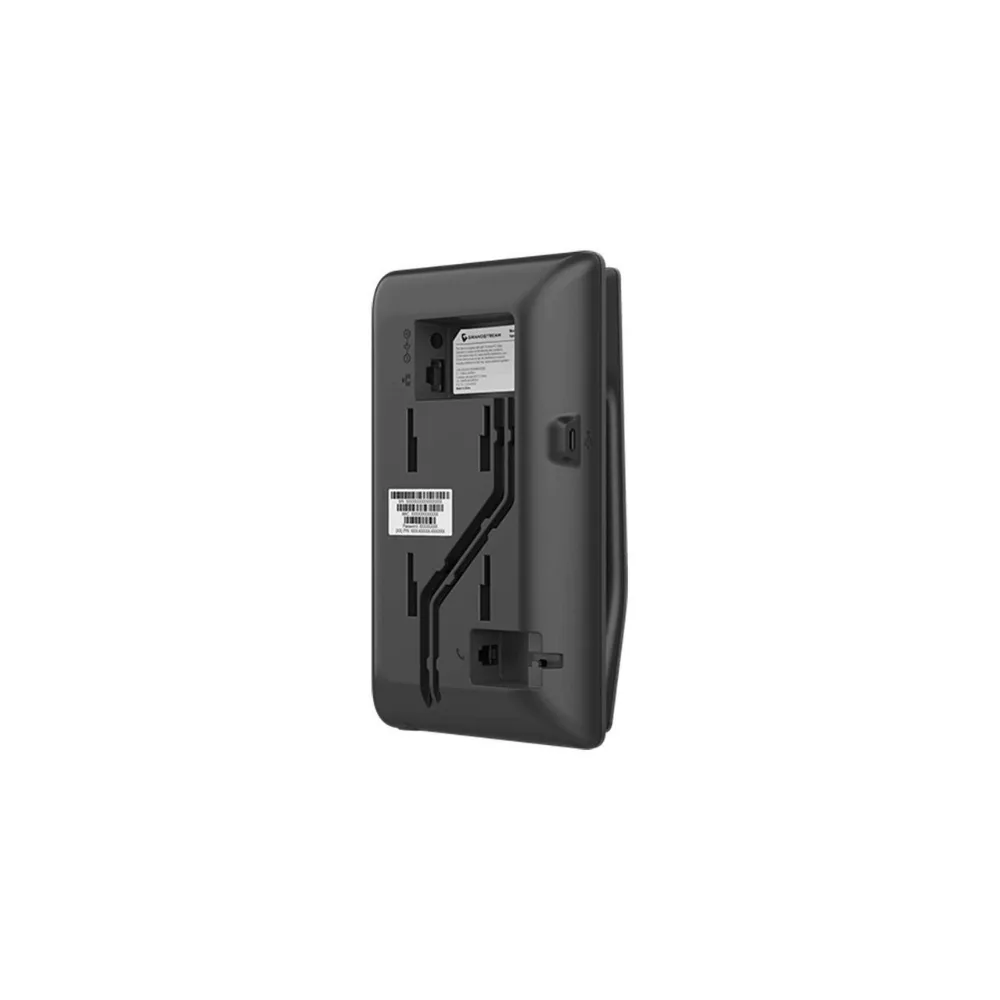
- Power: Power adapter or USB Type-C
- Mounting: Desktop or wall-mountable
- Security: Secure boot, unique security certificate per device, SRTP/TLS encryption
- Management: Supported by Grandstream Device Management System (GDMS)
- Ideal For: Hotels, hospitals, apartments, dormitories, and retail
Why Buy
- No Ethernet cabling required: Built-in Wi-Fi 6 makes deployment easier in rooms without existing network drops.
- Faster, more reliable Wi-Fi: Wi-Fi 6 support helps maintain stable connections even in busier wireless environments.
- Flexible programmable keys: 6 programmable keys let properties map shortcuts to reception, room service, and more.
- Clear communication: Full-band Opus codec and jitter-resilience keep calls clear, tolerating up to 30% packet loss.
- Convenient extras: Push-to-talk and a proximity sensor add practical functionality for everyday use.
- Centralized management: Provision and monitor phones across an entire property using GDMS.
Insights
Retrofitting older hotel properties with wired network drops in every room can be costly and disruptive, especially during renovations or in buildings not originally designed for structured cabling. The GHP621W addresses this by offering the same core calling experience as its wired counterpart, the GHP621, but over a dual-band Wi-Fi 6 connection, letting properties deploy in-room phones without running new Ethernet cable to every location.
Its inclusion of push-to-talk and a proximity sensor also reflects design choices aimed at day-to-day convenience, allowing quick, intercom-style communication and smarter power or display behavior based on nearby activity.
Key Features
Integrated Wi-Fi 6
Built-in dual-band 2.4GHz & 5GHz Wi-Fi 6 (802.11a/b/g/n/ac/ax) support delivers reliable wireless connectivity without the need for Ethernet cabling.
HD Audio & Opus Codec
Delivers an HD speaker on the handset with full-band Opus voice codec support for clear, natural-sounding calls.
Jitter-Resilient Voice Quality
An advanced jitter-resilience algorithm maintains call quality even with up to 30% packet loss, keeping conversations clear on imperfect networks.
2 SIP Accounts & 6 Programmable Keys
Supports 2 SIP accounts/lines along with 6 programmable keys and 10 speed dial keys for quick access to hotel services.
Push-to-Talk & Proximity Sensor
Adds convenient push-to-talk functionality and a built-in proximity sensor for smarter, more intuitive everyday use.
3-Way Voice Conferencing
Built-in conferencing lets guests or staff connect multiple parties on a single call.
Enterprise-Level Security
Features secure boot, a unique security certificate per device, and SRTP/TLS encryption to protect calls and device integrity.
Flexible Power Options
Powered via the included power adapter or a USB Type-C connection, giving properties flexibility during installation.
Use Cases
- Hotel Rooms Without Ethernet Drops: Deploy reliable in-room phones over Wi-Fi 6 without new cabling.
- Renovated or Retrofit Properties: Add or replace room phones without disrupting existing network infrastructure.
- Hospitality Properties: Manage phones across many rooms with centralized GDMS provisioning.
- Hospitals & Care Facilities: Offer patients and residents a simple, wireless phone with quick-access programmable keys.
- Apartments, Dormitories & Retail: Equip shared spaces with dependable, easy-to-use wireless communication.
Is It Right?
This hotel phone is a great choice if you:
- Need to deploy phones in rooms without existing Ethernet wiring.
- Want the reliability and speed benefits of Wi-Fi 6 connectivity.
- Manage a hospitality property and want centralized provisioning across many rooms.
- Want more programmable keys than an entry-level hotel phone offers.
- Like the convenience of push-to-talk and proximity-based functionality.
You may want to consider another option if you:
- Already have Ethernet drops in every room and prefer the simplicity of PoE, in which case the wired GHP621 may be a better fit.
- Prefer a white finish, since the GHP621W comes in black (see the GHP620W for white).
- Require more than 2 SIP accounts for advanced call routing.
Specifications
| Device Type | Compact Wi-Fi Hotel IP Phone |
| Color | Black |
| Wi-Fi | Integrated dual-band 2.4GHz & 5GHz Wi-Fi 6 (802.11a/b/g/n/ac/ax) |
| SIP Accounts | 2 SIP accounts/lines |
| Keys | 6 programmable keys, 10 speed dial keys |
| Audio | HD handset speaker, full-band Opus codec, 3-way voice conferencing |
| Extras | Push-to-talk, proximity sensor |
| Power | Power adapter or USB Type-C (PoE not applicable to this model) |
| Mounting | Desktop or wall-mounted |
| Security | Secure boot, unique security certificate per device, SRTP/TLS encryption |
| Management | Grandstream Device Management System (GDMS) |
| Recommended Environment | Hotels, hospitals, apartments, dormitories, and retail |
Compatibility
- Wireless Networks: Compatible with 2.4GHz and 5GHz Wi-Fi 6 networks, as well as older 802.11a/b/g/n/ac networks.
- Power: Works with the included power adapter or a standard USB Type-C power source.
- Management Platform: Fully supported by Grandstream’s Device Management System (GDMS) for centralized provisioning.
- SIP Platforms: Works with standard SIP-based VoIP services, IP PBXs, and hospitality PBX systems.
Setup
- Choose a location for the phone, such as a hotel room desk or wall, within range of your Wi-Fi network.
- Power on the phone using the included power adapter or a USB Type-C power source.
- Connect to your Wi-Fi network using the phone’s wireless setup process.
- Mount or place the phone using the desktop base or wall-mount option.
- Configure SIP accounts through the phone’s web interface or via GDMS provisioning.
- Set up programmable and speed dial keys, then test calls to confirm audio quality before guest use.



Reviews
There are no reviews yet